
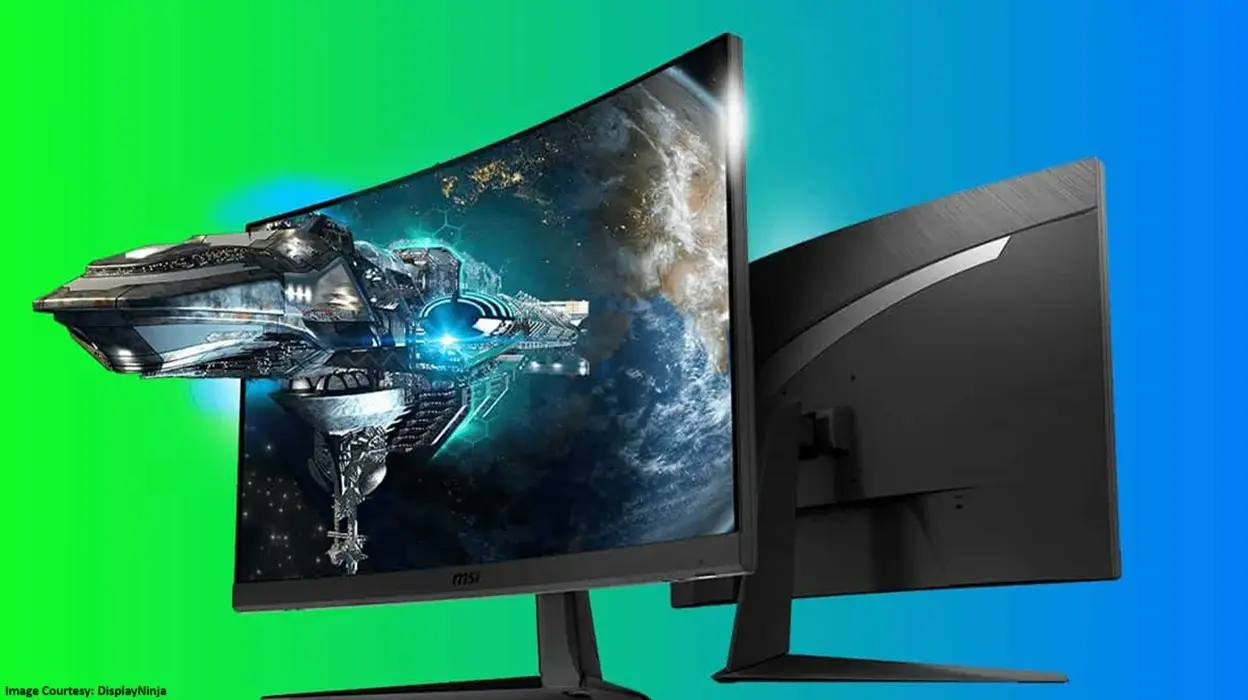
Gaming monitor: You know there are times when we know we are in need of a gadget upgrade but don’t know exactly which type of gadget will meet our requirements. The same thing happens so many times with our beloved gamers. They want gaming equipment like a monitor screen. But they don’t have a clear idea about which screen will work the best with the type of games they like playing. Well, we don’t want that to happen to our readers. So, we decided to share the details on how you can select your ideal gaming monitor by checking its multiple factors and specifications. Below are the details for the same. Fetch all the required information and buy yourself an all-rounder gaming screen. That will also stay with you for a very good time.
Must check gaming monitor specifications before you purchase it!
The resolution X screen size combo
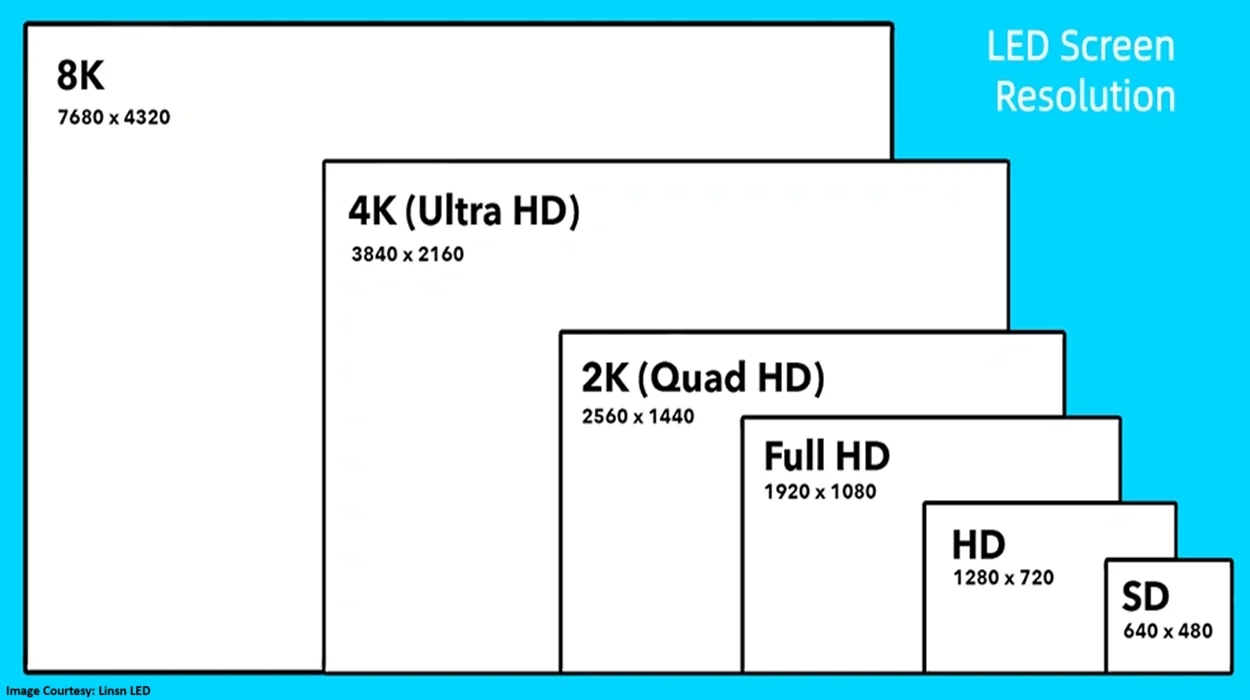
First things first, you have to understand which computer screen size should have how much screen resolution. This will ensure a good pixel density and performance efficiency for your gaming monitor. Here’s a little idea for you about how you can balance screen size and resolution pixels.
- For a 24-inch gaming screen, go for a 1080 pixels resolution. This will be the sharpest and most affordable combination for the gaming screen.
- If you are planning to buy a 27-inch gaming monitor, make sure the screen has 1440 pixel resolution to provide you with the best overall visual performance for your games.
- In case you wish to buy something even bigger, like a 32-inch or above screen size, you must have 4000-pixel resolution along with an equally powerful GPU to have the most realistic gaming experience.
In case you are wondering why this combo is so important, it is because the more pixels, the more detailed and sharper the image will be. So, if the screen is bigger, but the resolution has not increased according to it, the images will not be sharp or detailed enough. Because pixels are like dots in the drawing. The closer the dots will be, the better the drawing or image would look. Lesser dots or pixels lead to more gaps and hence an unclear and scattered picture.
Take care of the refresh rate for extra smoothness
Refresh rate is required for clear images too, but in a different way. The refresh rate is how many times your screen updates the image every second. And while playing video games, there’s a lot of action and motion happening that should not look choppy. So, if you are an AAA game lover, you must have an adequate refresh rate screen. So the amazing visuals stay intact for your experience.
Just like the screen size of the gaming monitor needs to be balanced with the pixel resolution, the refresh rate also comes in variants. And as the variant increases, so does the benefit of picture smoothness. After all, having the most swift and smooth motion of the pictures in the gaming is important to better aim at the targets. Moreover, no one wants to ruin a perfect game just because the screen doesn’t have a good refresh rate.
Here’s how you can understand how to buy a gaming monitor by keeping the refresh rate in mind:
- Looking for a monitor to get just casual or a minimal gaming experience. Even that has a set required refresh rate that should be maintained. A 144Hz refresh rate is a must for such types of games as well.
- For a competitive edge, look for a gaming screen that provides a refresh rate between 165–240Hz. This will improve your gaming quality a lot more than you can imagine.
- A refresh rate of 360Hz is required for pro-level esports games.
- Just for your knowledge, if you are looking for a monitor screen just for basic functionality, even a 60Hz refresh rate would do.
Take note of the panel for the visual quality and speed balance
The panel can be considered as the core technology behind monitor screens. They directly affect the image quality, speed, viewing angles, and overall experience of the user whether they are playing games or using the screen for entertainment purposes. Here are a few types of panels you can choose from while selecting your ideal gaming monitor:
- IPS (In-Plane Switching): A good enough panel from a gaming perspective, as it is very accurate and doesn’t change the images much from the sides. However, the black color of this panel is not deep enough.
- VA (Vertical Alignment): this one can be bought if you love atmospheric games where it’s dark. Its excellent contrast quality will help you see clearly in the dark and make your story-based games more interesting. The drawback is only that it is not as good with a different viewing point as the IPS panel. Also, not very ideal for serious gaming.
- TN (Twisted Nematic): if you are into esports and competitive gaming but also have a fixed budget for your gaming monitor purchase, then this panel could be ideal for you. With the fastest response time, this panel is also good for gaming purposes where colors don’t matter too much.
- OLED (Advanced / premium): And here is your best in overall features kind of panel. The OLED panel is perfect for blacks, ideal for colors, and amazing for a fast response time. The current best in the market and a match made in heaven for gaming purposes, no matter what kind of games you play.
The perfect response time for perfect motion
Even if you have a good refresh rate and resolution according to the gaming monitor size that you are buying, not having an equally suitable response rate can ruin the gaming experience for you. Response time is how quickly a pixel on your screen can change from one color to another. And in the vast world of gaming, that literally happens in milliseconds.
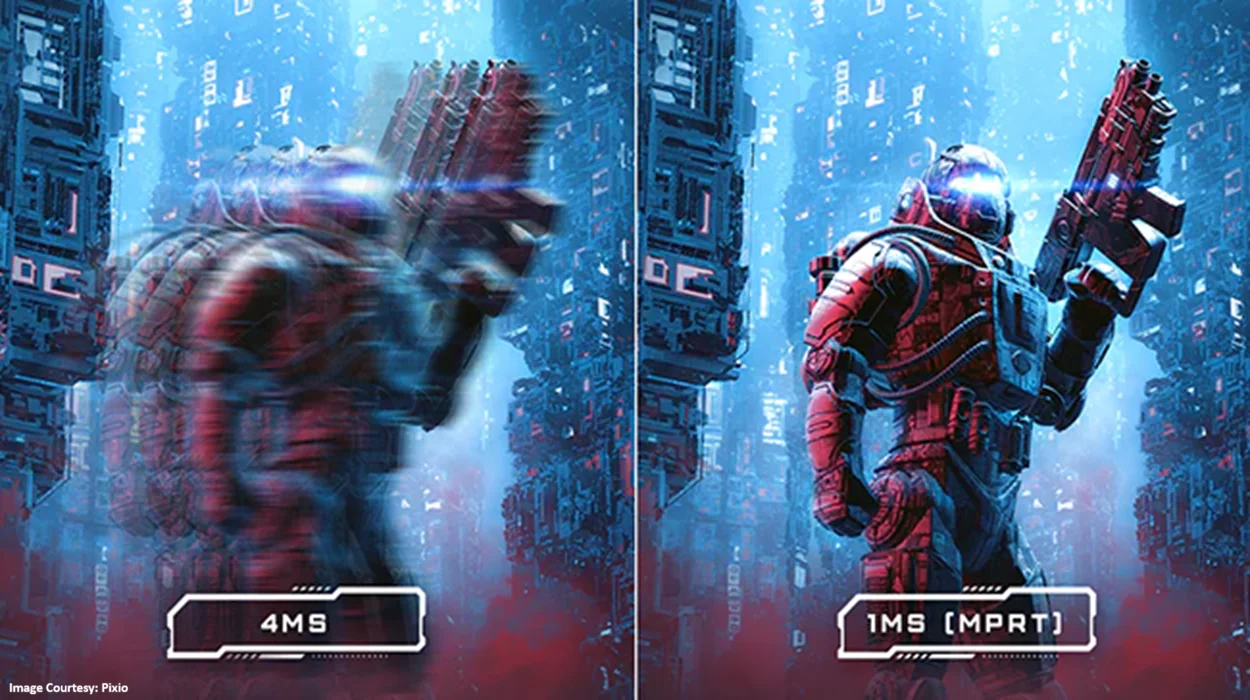
So, the thing taking care of colour quality should be able to get measured in milliseconds. Because that’s how fast the colour changes. So, that is where the response rate steps in. The lower the response rate of the monitor, the better the picture quality. Because that will prevent your games from blurring or getting ghosted.
Don’t forget to check the adaptive sync
Adaptive Sync is a feature that makes your monitor match its refresh rate to your Graphics Processing Unit or GPU’s frame rate (FPS) in real time. This eliminates screen tearing, reduces image stuttering and screen lagging and provides a much smoother and fluid gameplay experience. You can choose your adaptive sync from the two popular types available on the market. This includes the NVIDIA G-Sync that has been specifically designed for NVIDIA GPUs, and the other one is AMD FreeSync, which works with AMD and now with many NVIDIA GPUs as well.
Other things to keep in mind while purchasing a gaming monitor
- Before you decide to buy or even start looking at the best gaming monitors, make sure you know the type of games that you like playing. Every genre has a specific set of requirements. If you know the gadget requirements of your types of games, it will be easy to choose a monitor screen that suits your needs. For example, esports require higher refresh rates while AAA needs greater resolution. But a mix of both requires the ideal balance, which is 1440p + 144H
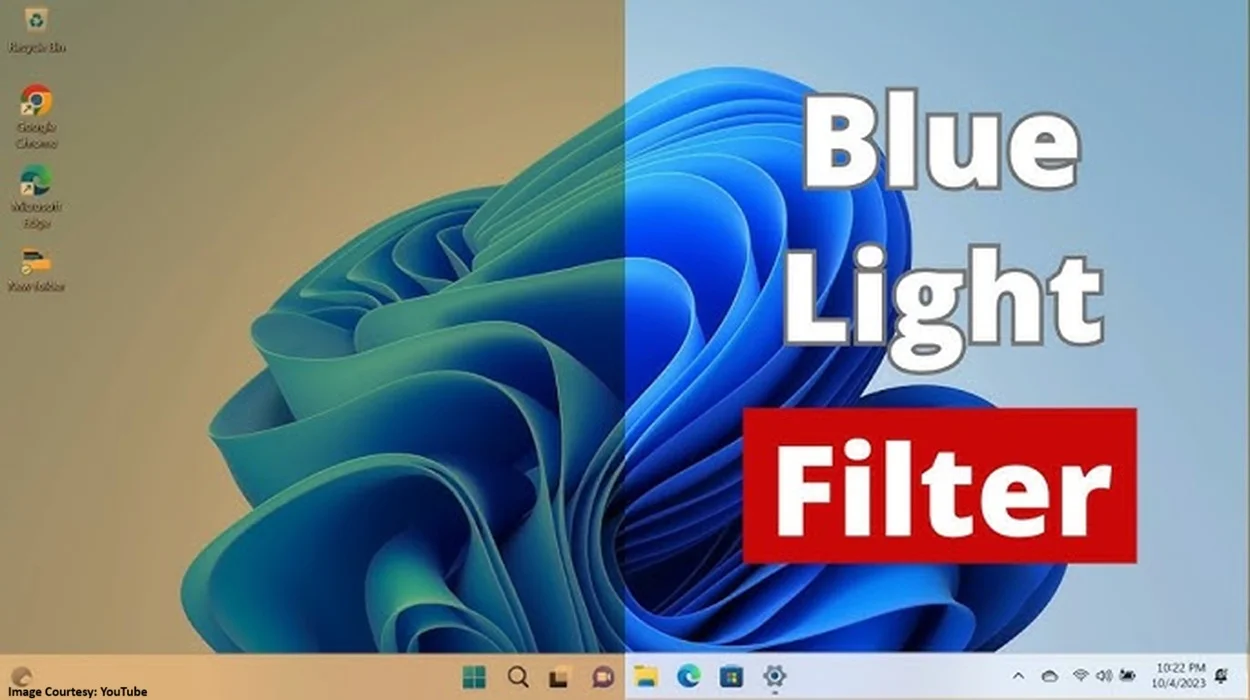
- If you are a lover of long gaming sessions, make sure your gaming screen has a blue-light filter. It will prevent your eyes from getting stained too much as a side effect of too much game time.
- Take care of the HDR quality of the screen too, if possible. It will help you see more realistic colors in your games, have better contrast between the images and their shadows, and will also make the visuals of dark atmospheric games get clearer and better.
- Last but not the least, make sure your gaming screen has an HDMI 2.0+ port for console + PC switching convenience and a display port for high refresh rate gaming.
To Sum Up: Gaming monitors
Whenever you go to buy a product that’s expensive, it is always a good idea to check if the product is suitable for use or not. Otherwise, we might end up spending money on the wrong product. And gadgets, being a long-term use product, are not easy to buy too frequently. So, do your thorough research on gaming monitors or any other gaming equipment that you require. Connect with mgcbuzz.com if you need help or assistance knowing a product specification. We will gladly share that with you. For more updates and industry insights, stay tuned to this space.
Read Related Articles


Trending
Best Gaming Accessories for Content Creators to Buy During the Amazon Great Indian Festival Sale
Which Gaming Character Should You Dress Up as for Halloween 2026?
Is Silver Pines Good Enough for Halloween Gaming?
Why Anime Lovers Must Look Forward to ONE PIECE: Grand Gourmet